Abdulmajid Alkhoder app
Download the Abdulmajid Alkhoder car rental app
Choose a pickup branch to see its cars and prices. Compare daily and monthly rentals, review the details, send your request and follow the branch’s response from your account.
How do points work? →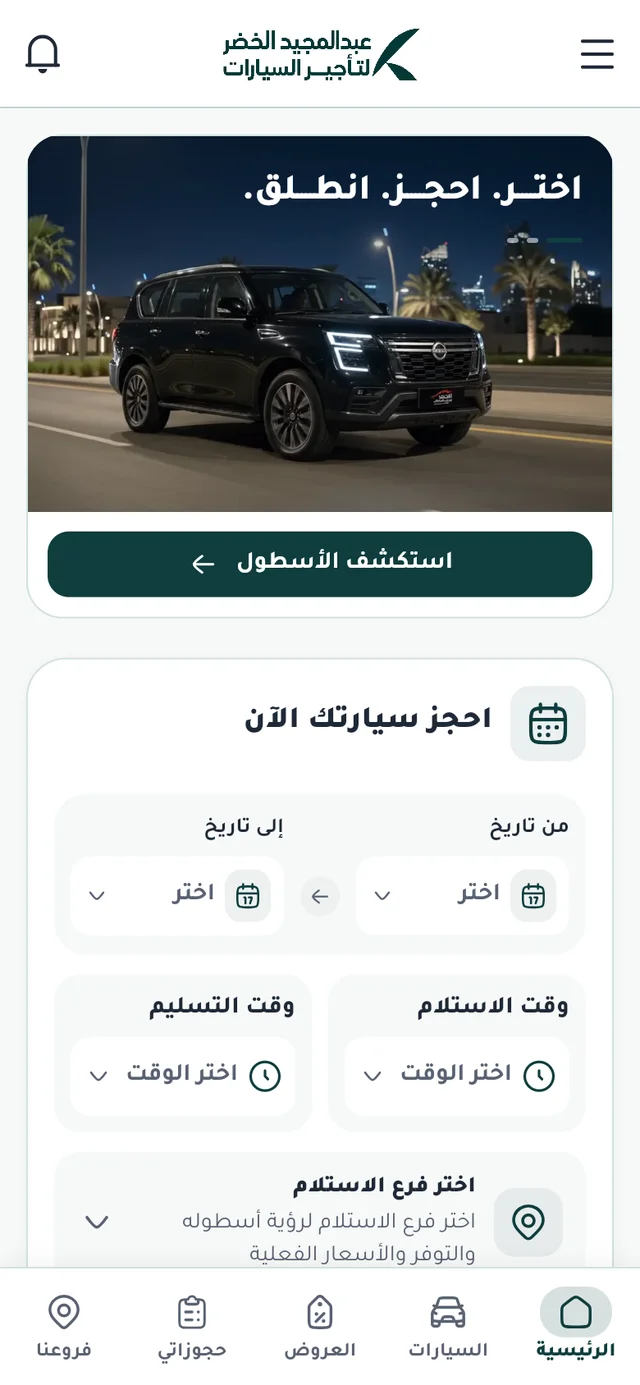
From choosing a branch to tracking your request
Choose a branch and car
Select the branch you need to see its fleet and prices. Switch between daily and monthly rentals and review the vehicle details.
Set your dates and handover options
Choose your rental period and branch pickup or delivery to your location. Any selected service fee is included in the total before submission.
Send and track your request
Enter your details, add the required document and review your request. Track updates in My bookings. The branch reviews the request and contacts you during working hours to confirm.
Today’s booking can help with a future monthly rental
Eligible daily and monthly app bookings can earn points. Available points can be used towards a later monthly booking.
Submitting a request does not earn points immediately. Credit follows rental completion, contract closure and branch payment confirmation. Check your points wallet for your available balance and discount.
Before you start
Where can I download the Alkhoder app?
The app is available for iPhone on the App Store and Android on Google Play. Use the official store links on this page and check the app name before downloading.
Can I book a monthly rental in the app?
Yes. Choose a pickup branch and monthly rental to see its available cars and rates. Pricing and availability depend on the branch, car, period and active offers.
Can I request delivery to my location?
You can request delivery or collection in the booking form and choose your location on the map. Each service fee is shown before submission, and the branch confirms whether it can fulfil the service.
Does sending a request confirm the car?
No. The branch must review and confirm your request during working hours. You can contact the branch on WhatsApp to follow up.
Ready to choose your car?
Download the app, or browse the website fleet first.